Column
We know how to get all pages for a column chunk and how to decode an individual page. Now, let’s put all of them together and completely parse a column chunk.
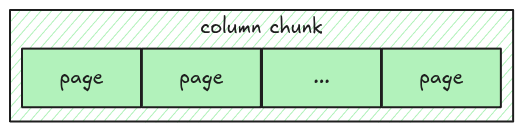
To represent a column, we use Polars Column.
Task
Implement the read_column function in src/column.rs. It takes the entire file data as Bytes
and returns a Column data for a given column chunk.
pub fn read_column(data: Bytes, column_chunk: &ColumnChunk) -> Result<Column> {
    todo!("step06: implement read column")
}
Some important notes:
- Everything you need to parse column data is stored in the column metadata
- To get the number of values in a page, you can use
Page::num_values() - To convert a vector of
ScalartoColumn, you might find the helpercolumn_from_scalarsuseful
Test
Test case for this step is step06_column.
Hints and Solution
Hint (how to get the column metadata)
The column metadata is stored as meta_data field in a ColumnChunk.
column_chunk
    .meta_data
    .as_ref()
    .expect("read_column: missing column metadata");
Hint (how to get the parquet data type)
The parquet data type can be retrieved from column_metadata.type_.
Solution
pub fn read_column(data: Bytes, column_chunk: &ColumnChunk) -> Result<Column> {
    let column_metadata = column_chunk
        .meta_data
        .as_ref()
        .expect("read_column: missing column metadata");
    let pages = read_pages(data, column_metadata)?;
    let mut scalars = Vec::with_capacity(column_metadata.num_values as usize);
    for page in pages.data_pages {
        let decoded_scalars = decode_page(&page, column_metadata.type_, page.num_values())?;
        scalars.extend(decoded_scalars);
    }
    column_from_scalars(scalars, column_metadata)
}