A year of Colemak
I had been a happy QWERTY user for 2 decades, but a year ago, I decided to switch to Colemak and I don’t regret it. In this post, I’ll share the reason, how I practiced, and my setup.
Why I made the switch
I love typing - I love dancing my fingers on the keyboard. There was only one problem: I could never use all ten of them! Even after spending months studying touch typing, my dear muscle memory always kicks in at the wrong time using the wrong fingers for each key.
The most frustrating part was I couldn’t even notice if I didn’t fully focus on my hand movement. There was no punishment system notifying me when I did the wrong thing. I believe switching to a different layout would force me to reset my muscle memory, giving me a very good built-in notification mechanism, yelling at me every time I violate the rules.
Why did I choose Colemak
Lucky for me, only two popular layouts came up when I searched for QWERTY alternatives: Dvorak and Colemak. I picked Colemak because:
-
It is modern, created in 2006, newer compared to Dvorak (1936)
-
The learning overhead is lower than Dvorak’s for people coming from QWERTY. You can see the comparison image below
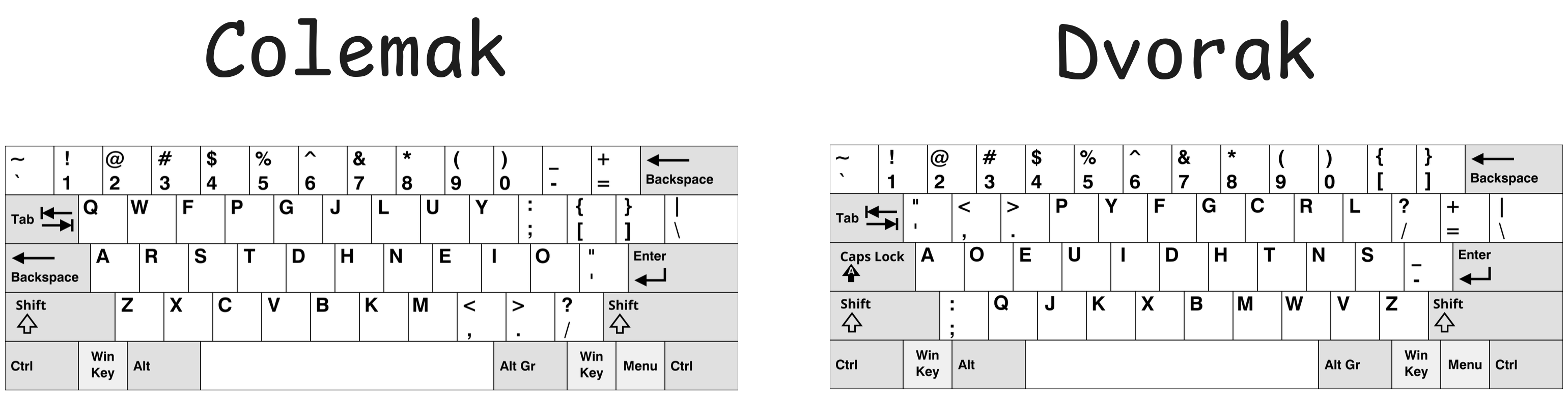
Colemak vs Dvorak layout
How did I learn
I began the journey in early 2025, the total progress spanned over 6 months. Below is the breakdown.
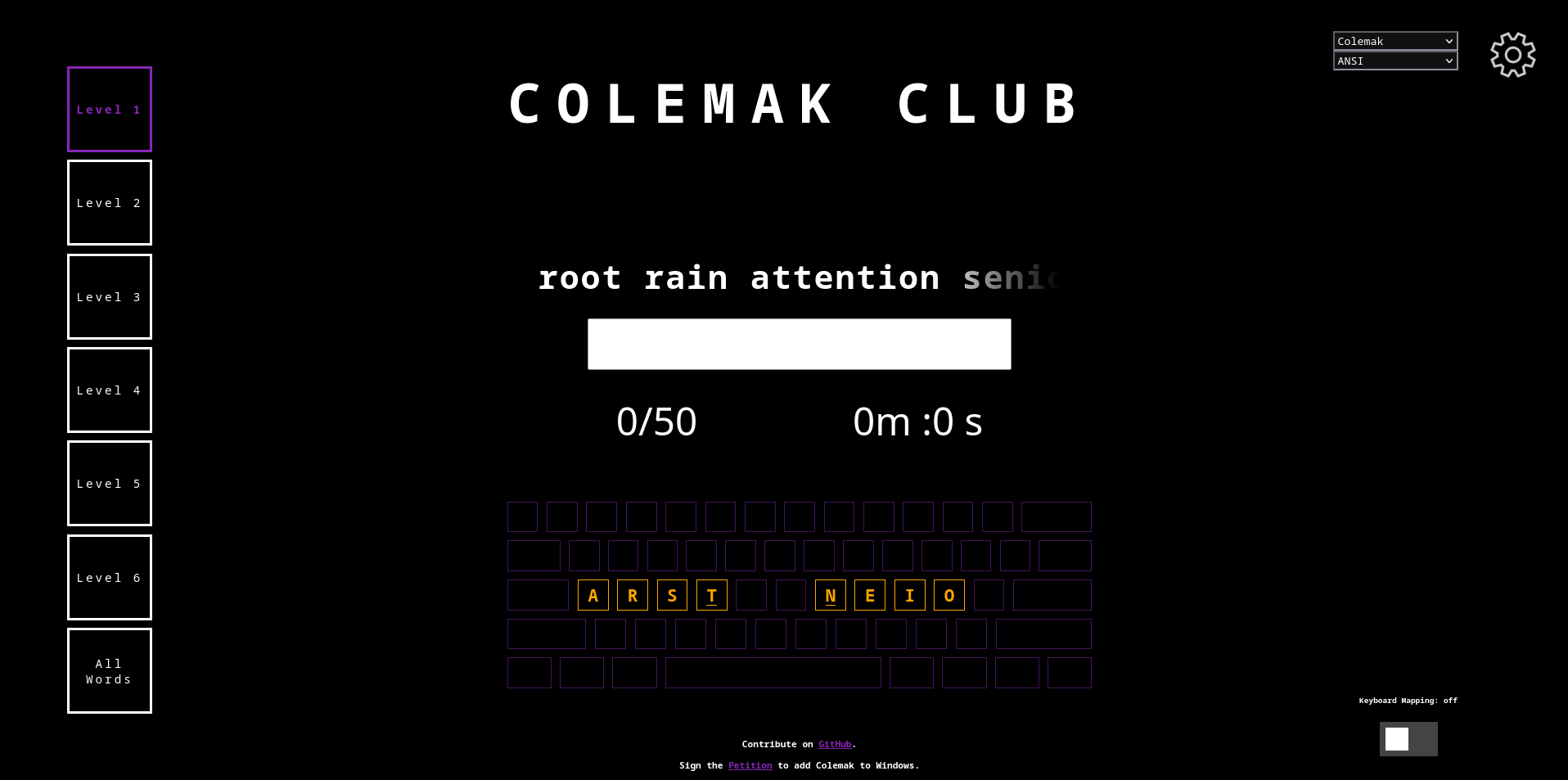
I spent the first three months getting myself familiar with the layout. I used gnusenpai to practice, 30 minutes a day, no skipping. It was super fun, pleasant, more like playing games rather than fighting with the keyboard. At the time, I was still using QWERTY for my daily tasks, but I didn’t get confused very often as my brain knew where and when to switch to Colemak mode.
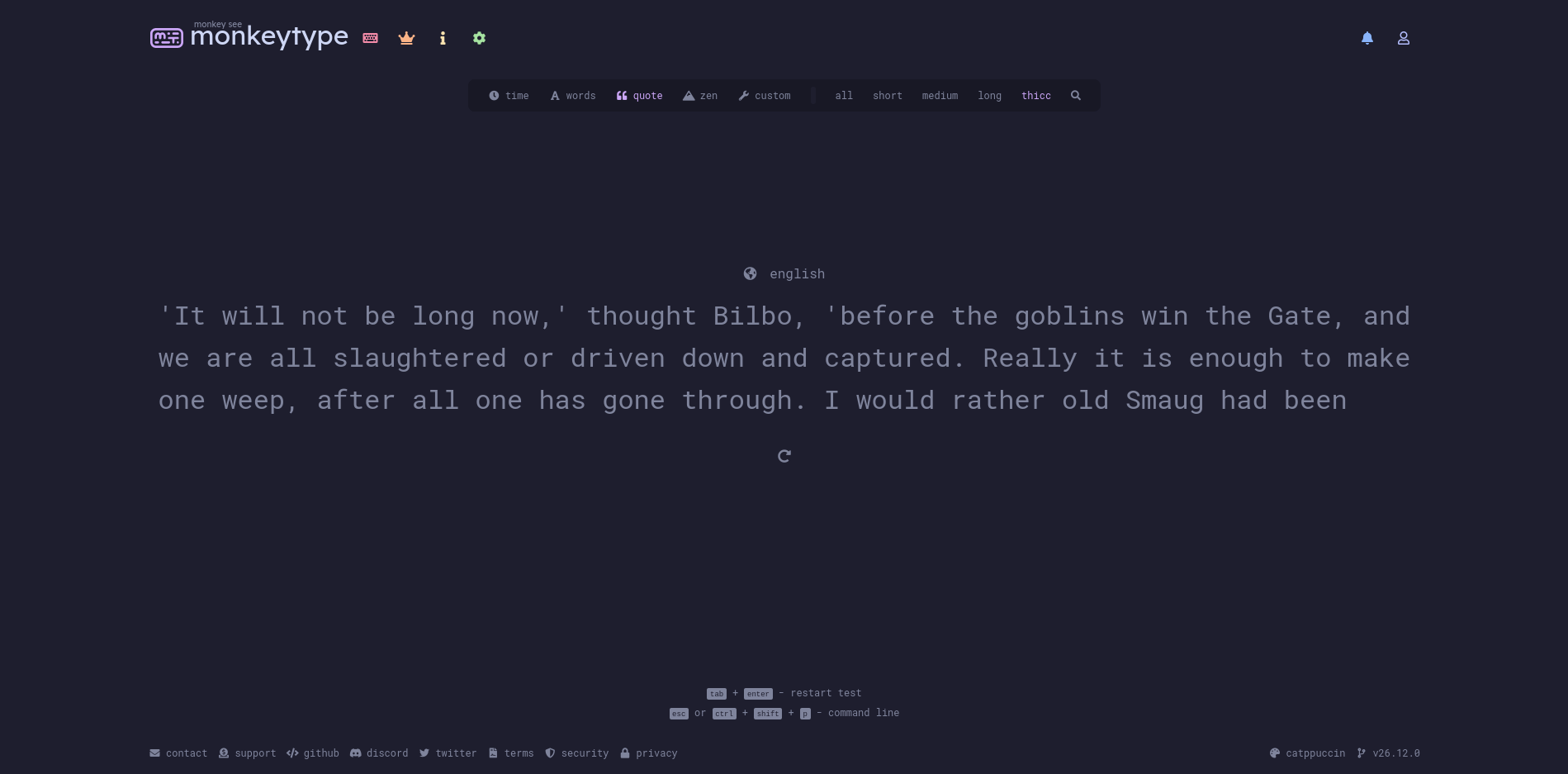
Then, I moved to monkeytype for practicing, roughly 30 minutes a day but in “quote mode” - full quotes or short passages. I found that typing this way is more practical and enjoyable than playing with disconnected words. This was the transition phase closest to what I type every day, and yes, I got confused quite a lot.
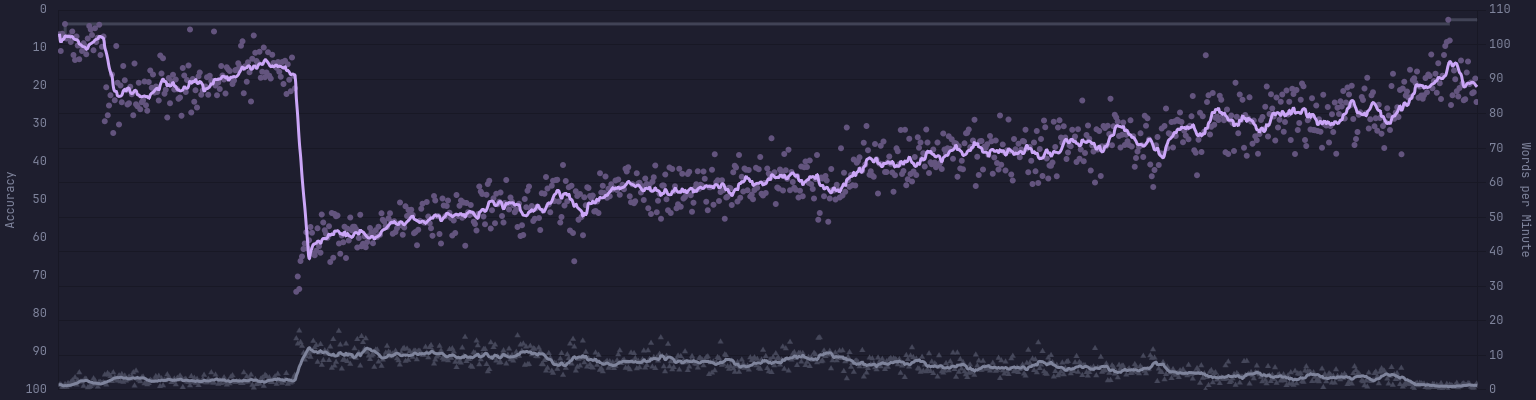
One month after that, I went berserk and switched everything to Colemak, both at work and at home. It was a disaster, things got mixed up, my performance instantly dropped by half. But I was happy as it proved that the punishment system was working - pretty well indeed.

I don’t actively practice much nowadays. However, as I keep typing in Colemak, my performance improves steadily. At first, it was just 30 WPM, but now I can type comfortably with 90 WPM (my fastest QWERTY was around 100 WPM).
My setup
I have my external keyboard remapped instead of using the logical layout from the official site. This comes in handy as I don’t have to mess around with layout software.
I’m a vim user, and the question about whether I should remap the vim keybinding crossed my mind quite often. I decided to relearn the vim keymap because:
- I don’t have to reconfigure vim on every computer I need to access (work computer, ssh servers, etc.)
- The only thing that seems unreasonable on the new layout is the hjkl keys, but if you use vim you shouldn’t rely on hjkl for vim movement anyway.
Closing thoughts
It took me 6 months to learn before Colemak became my primary layout. This was one of the best investments of my life. Every key press to me now is a joy, I don’t type faster compared to QWERTY, but it feels more comfortable, and I no longer have wrist pain.
One small note: even after switching, I haven’t lost my QWERTY skill. It is just not as efficient as before, with one minor issue: I have to constantly look at the keyboard while typing.